
Radio Browser
While DintCast is your primary tool for podcast playback, it also supports playing online radio stream! This guide shows you how to find high-quality, free stream links using the community-driven Radio Browser directory and add them to DintCast.
About Radio Browser
Radio Browser is a massive, community-driven project (think of it like Wikipedia) that collects and organizes public internet radio stations from around the world. It’s the perfect place to find the stream URL for almost any station.
Completely Free and Open: The service is non-profit and publicly accessible.
Global Coverage: Includes station names, tags, stream links, language, country, and more.
Community-Powered: Anyone can contribute new stations or update existing information.
Search on Radio Browser’s Website
Follow these steps to search for and retrieve the essential stream URL for your favorite station.
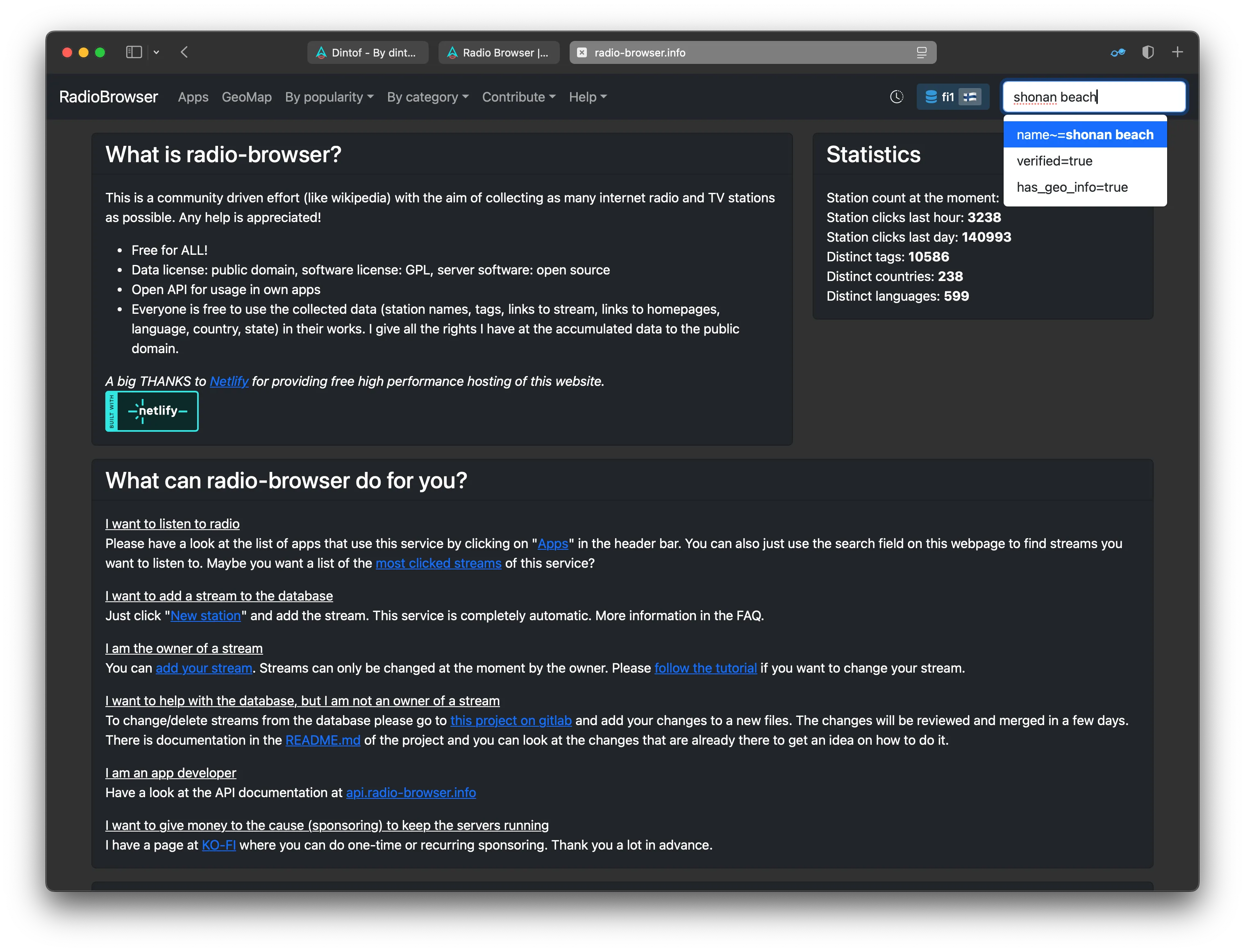
Visit the Radio Browser Website: Go to Radio Browser and enter a keyword (station name, city, genre, etc.) in the prominent search field.
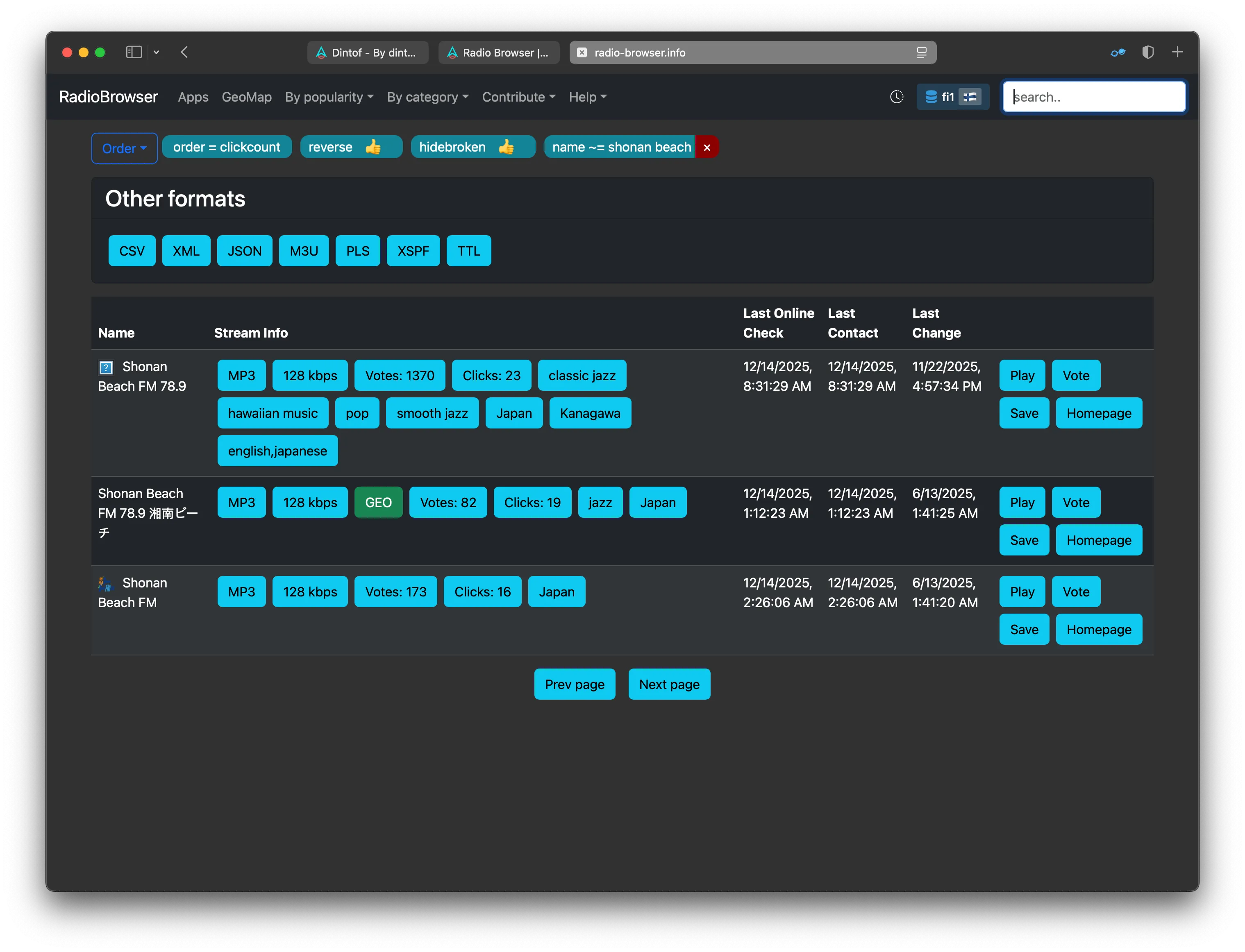
Select Your Station: The search results will display a list of matching stations. Click on the station you are interested in to view its details page.
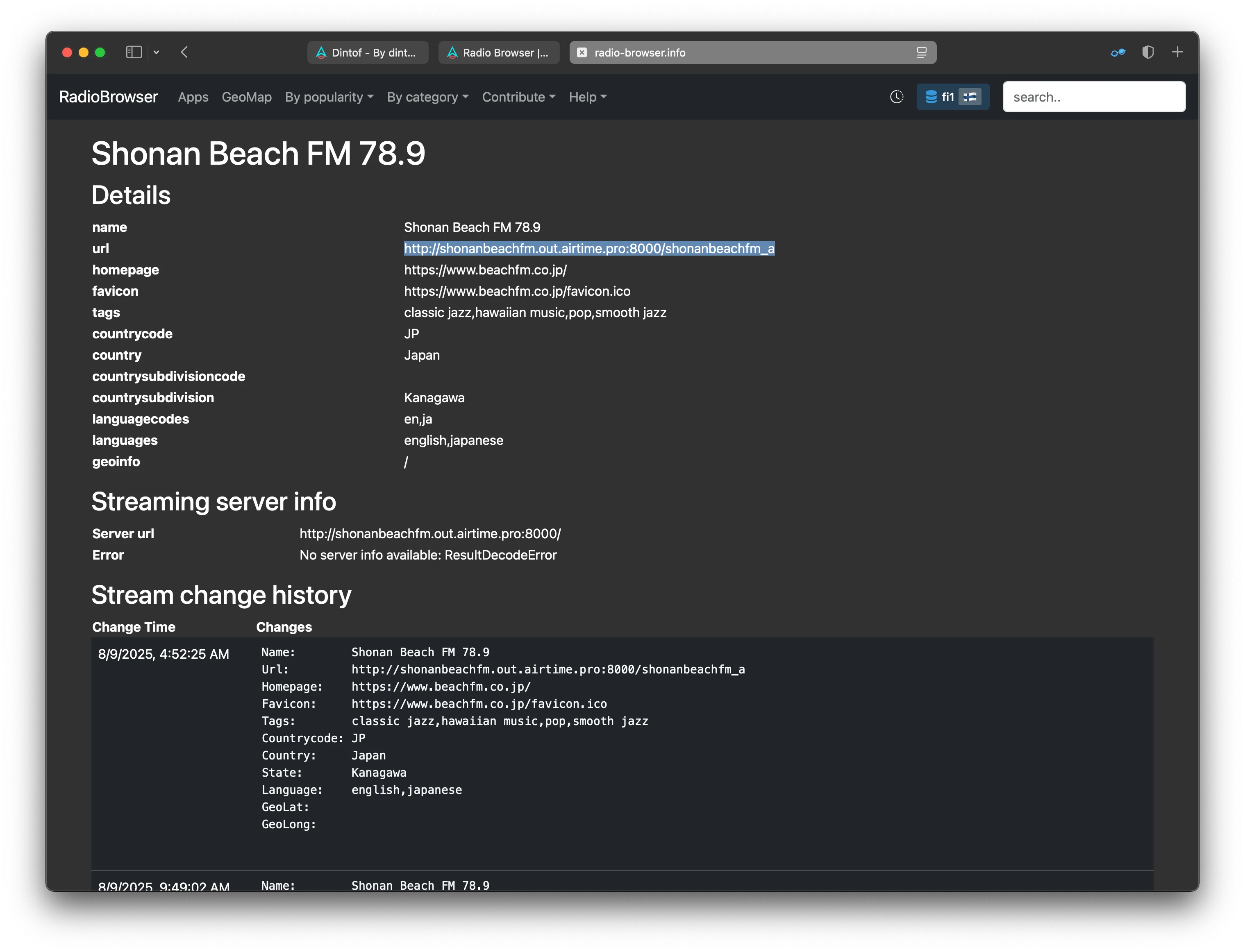
Copy the Stream URL: On the station’s details page, look for the section showing the available stream links. Copy the stream URL—this is the unique address DintCast needs to play the audio.
Adding the Stream to DintCast
Once you have the stream URL, you can easily add the radio station to your DintCast directory.
Open the Add Menu in DintCast: In the DintCast app, navigate to the Podcasts Directory and tap the + (plus) button to add a new stream.
Select “Add Stream URL”: Choose the option to add a stream via URL (or Manual Link).
Paste the Stream URL: Paste the radio stream URL you copied from the Radio Browser website into the text field.
Confirm and Enjoy: Tap Done or Add. DintCast will recognize the stream and add the radio station to your list, ready for playback!